
Discount on a product can be given in three different ways:
- Percentage discount
- Reduction in price
- New price
Percentage discount
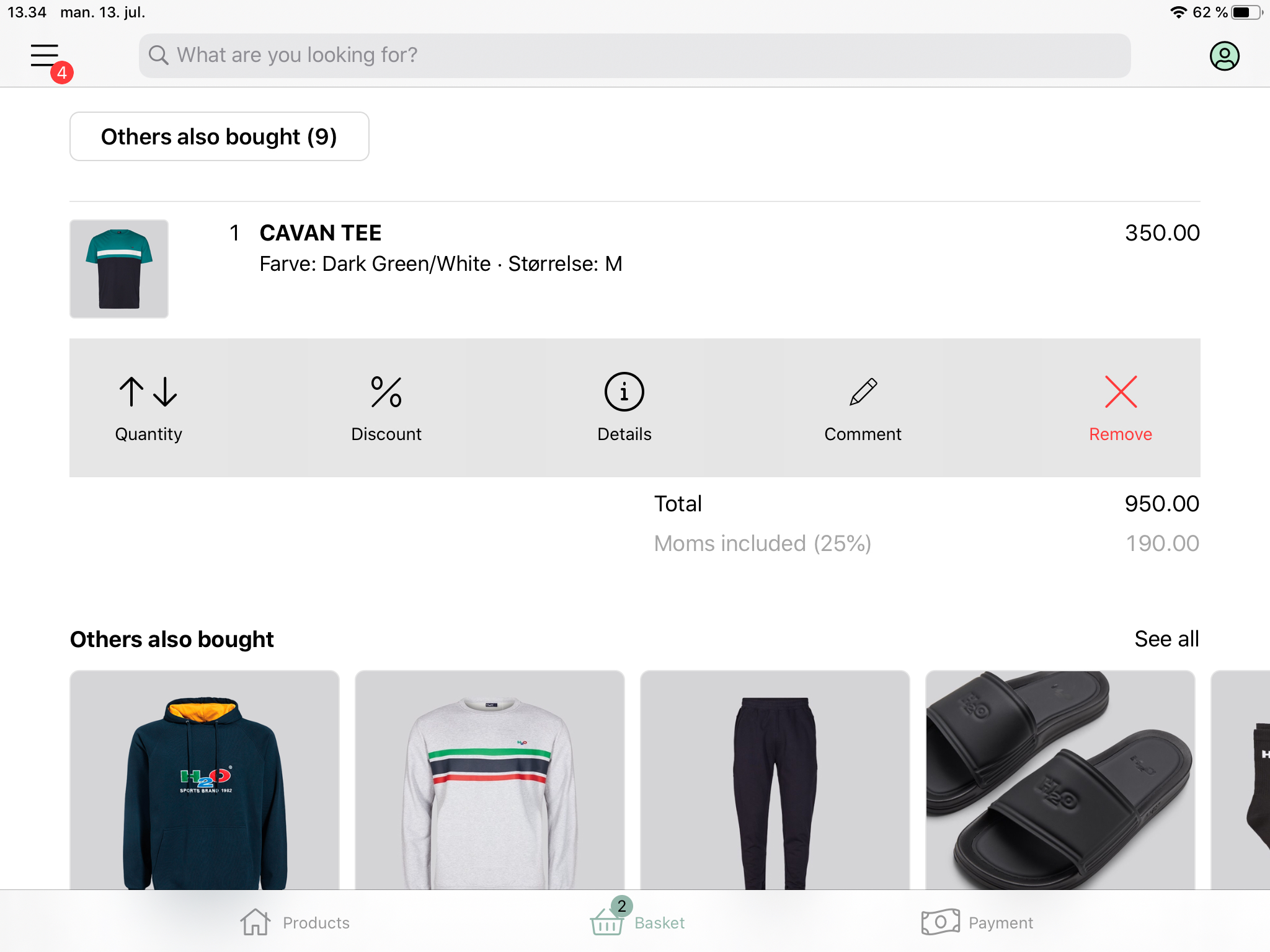
- Click on the product in the basket you want to add a discount
- Choose ‘Discount’.
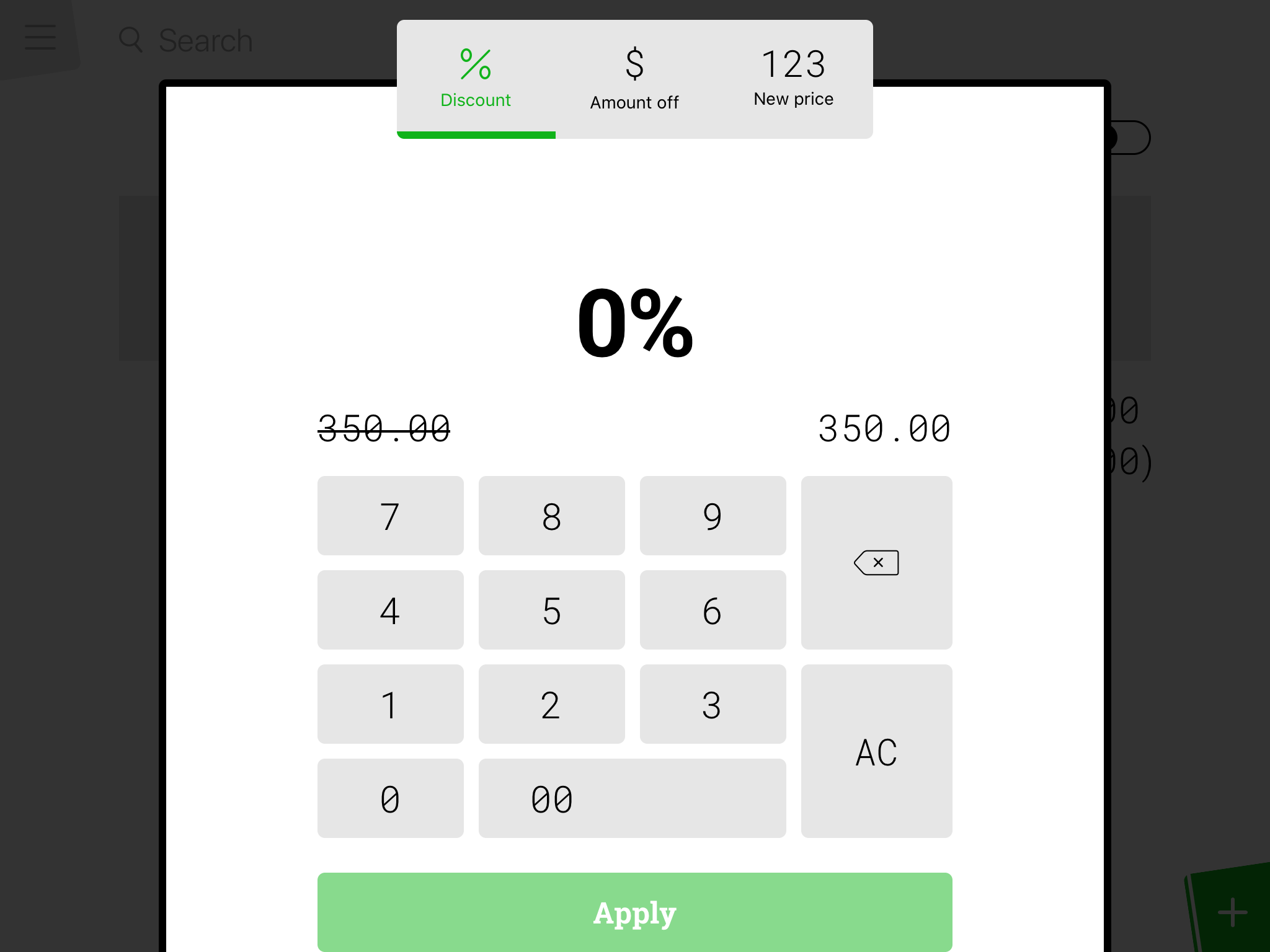
- Percentage discount is chosen beforehand, and you therefore just enter the wanted discount percentage
- Finish by pressing 'Apply'
The discount is now shown under the concerned product. It’s possible to remove a discount by clicking on the cross next to the discount.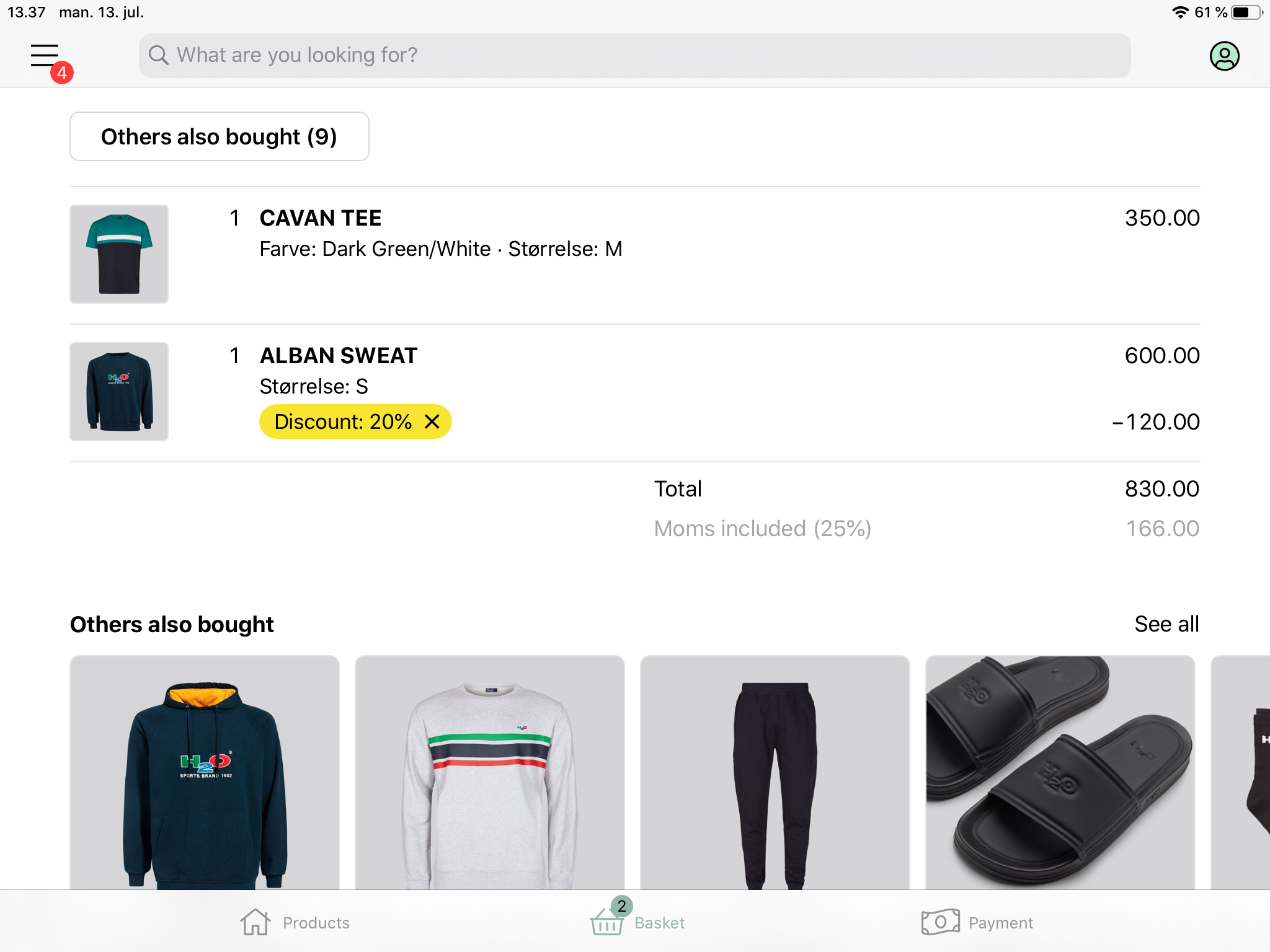
Reduction in price
- Click on the product in the basket you want to reduce the price on
- Choose ‘Discount’
- Choose ‘Amount off.
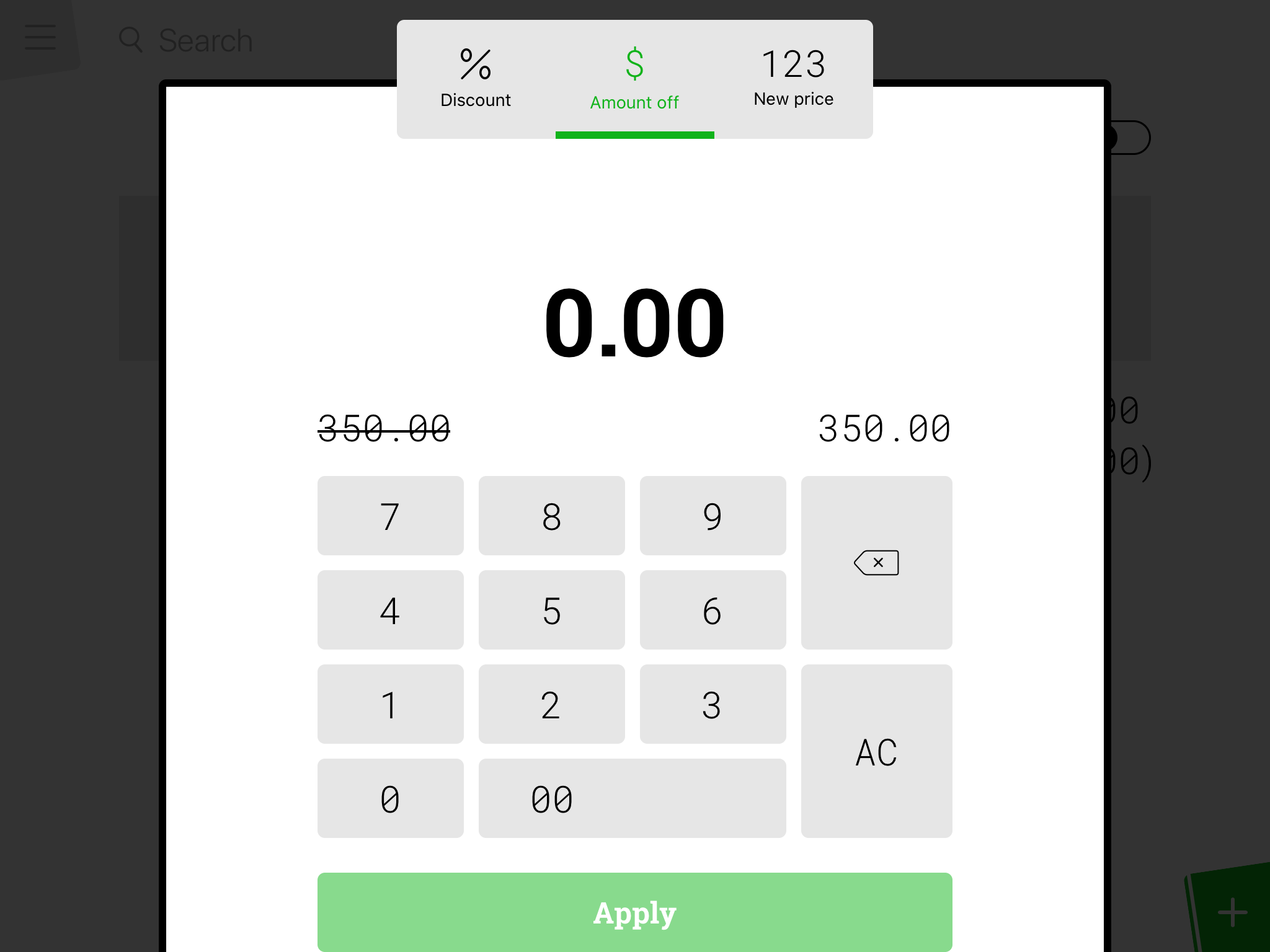
- Enter the amount you want to subtract from the original amount of the product. the reduction cannot be larger than the total amount of the product.
- Finish by pressing 'Apply'
The discount is now shown under the concerned product. It’s possible to remove a discount by clicking on the cross next to the discount.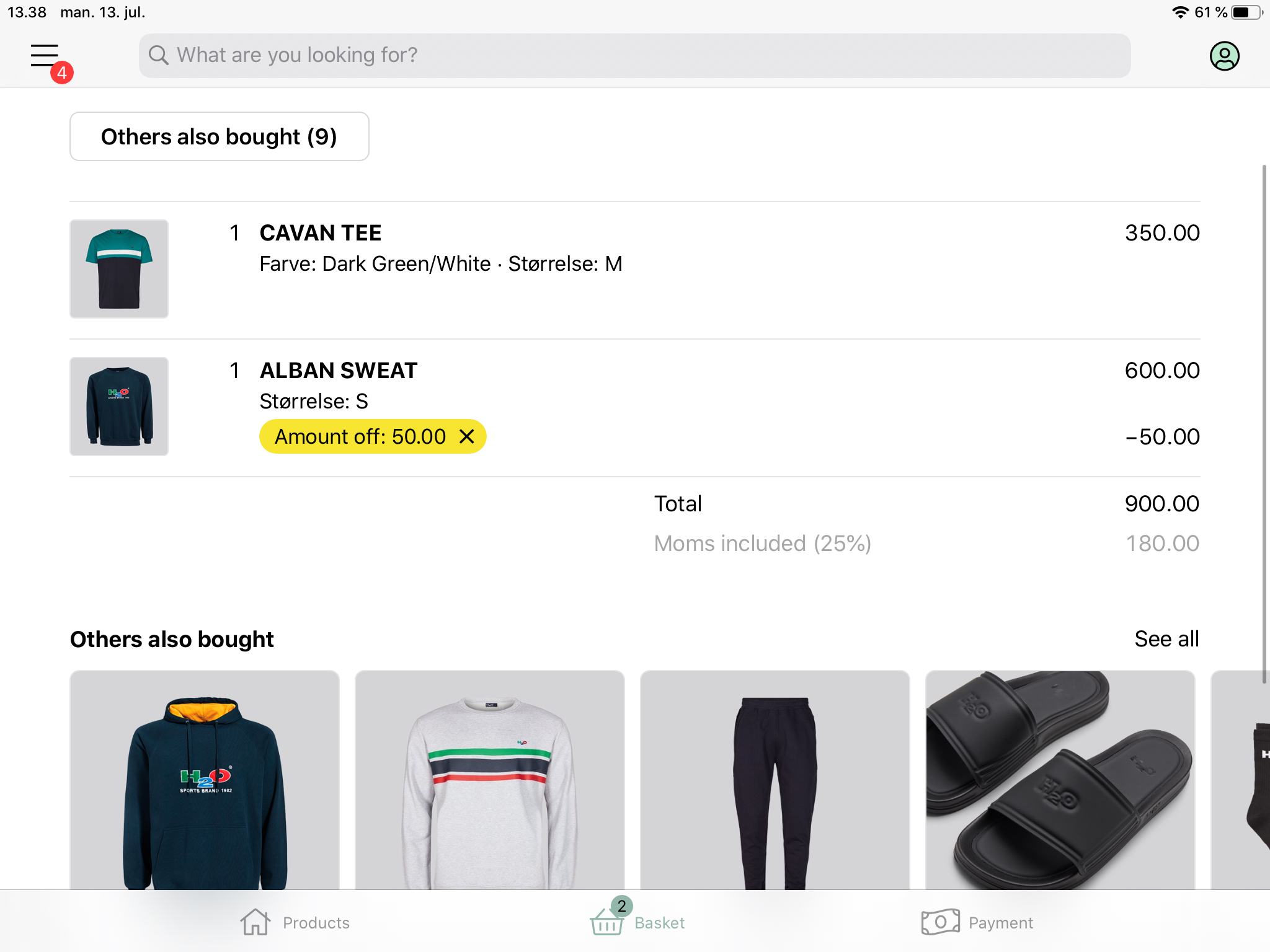
New price
- Click on the product in the basket you want to give a new price
- Choose ‘Discount’
- Choose ‘New price’
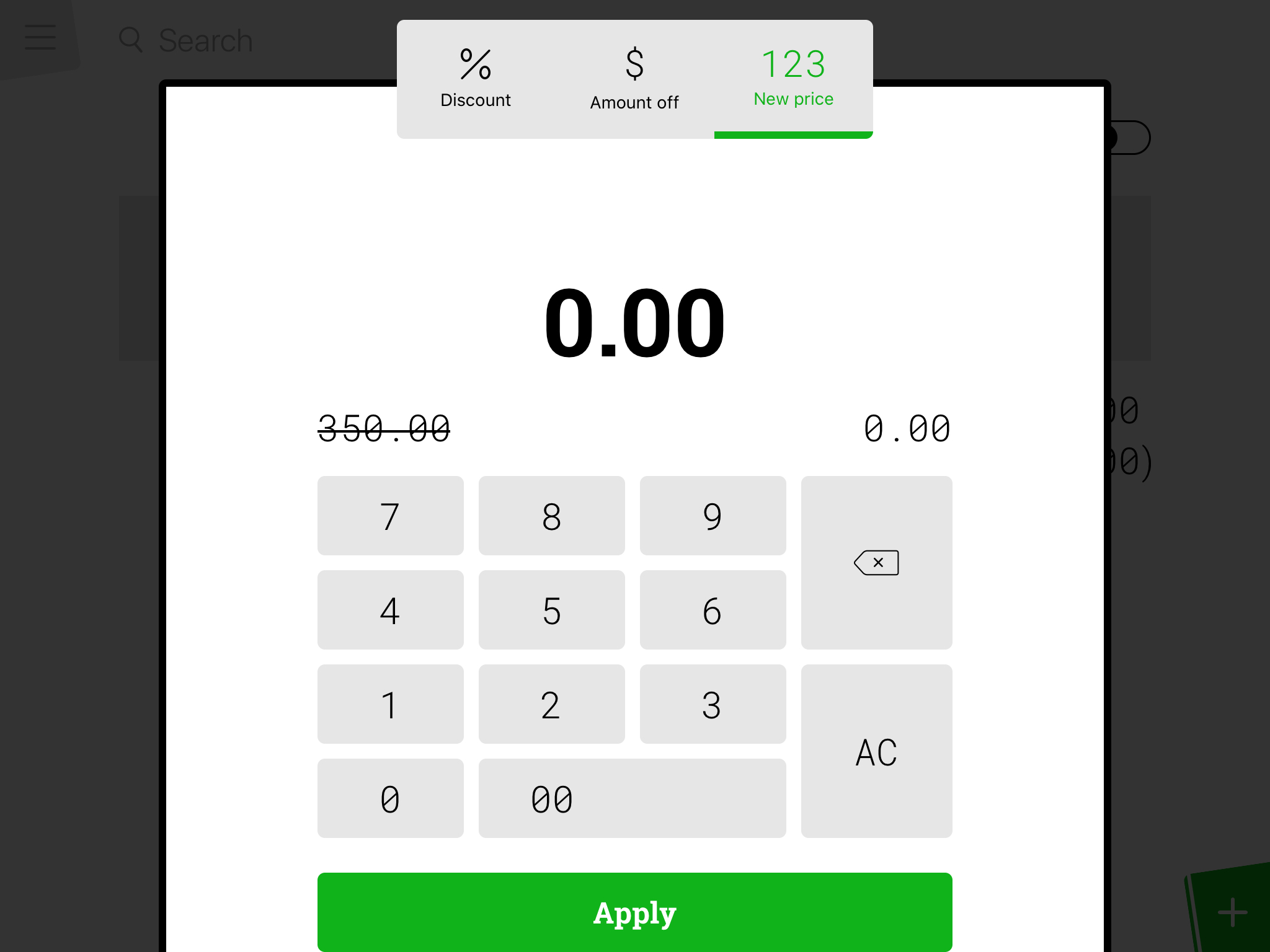
- Enter the new price. The new price can be higher than the original price
- Finish by pressing 'Apply'
The discount is now shown under the concerned product. It’s possible to remove a discount by clicking on the cross next to the discount.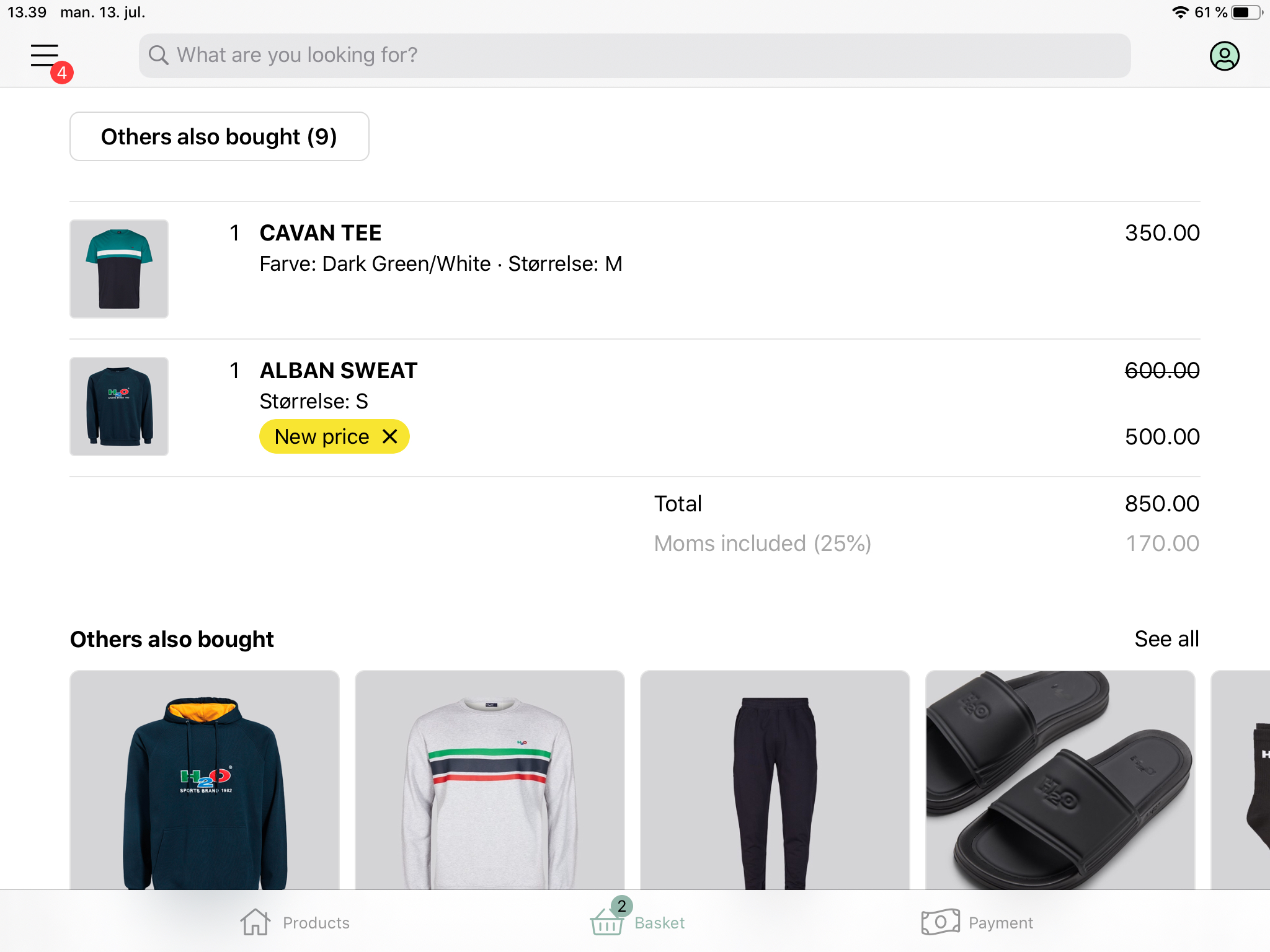
Comments
0 comments
Please sign in to leave a comment.